How to send your wedding invitation on WhatsApp — the complete guide
Want to send your wedding invitation on WhatsApp in an elegant, organized way? We walk you through how to do it right, step by step, with a personalized link for every guest and no messy group chats.
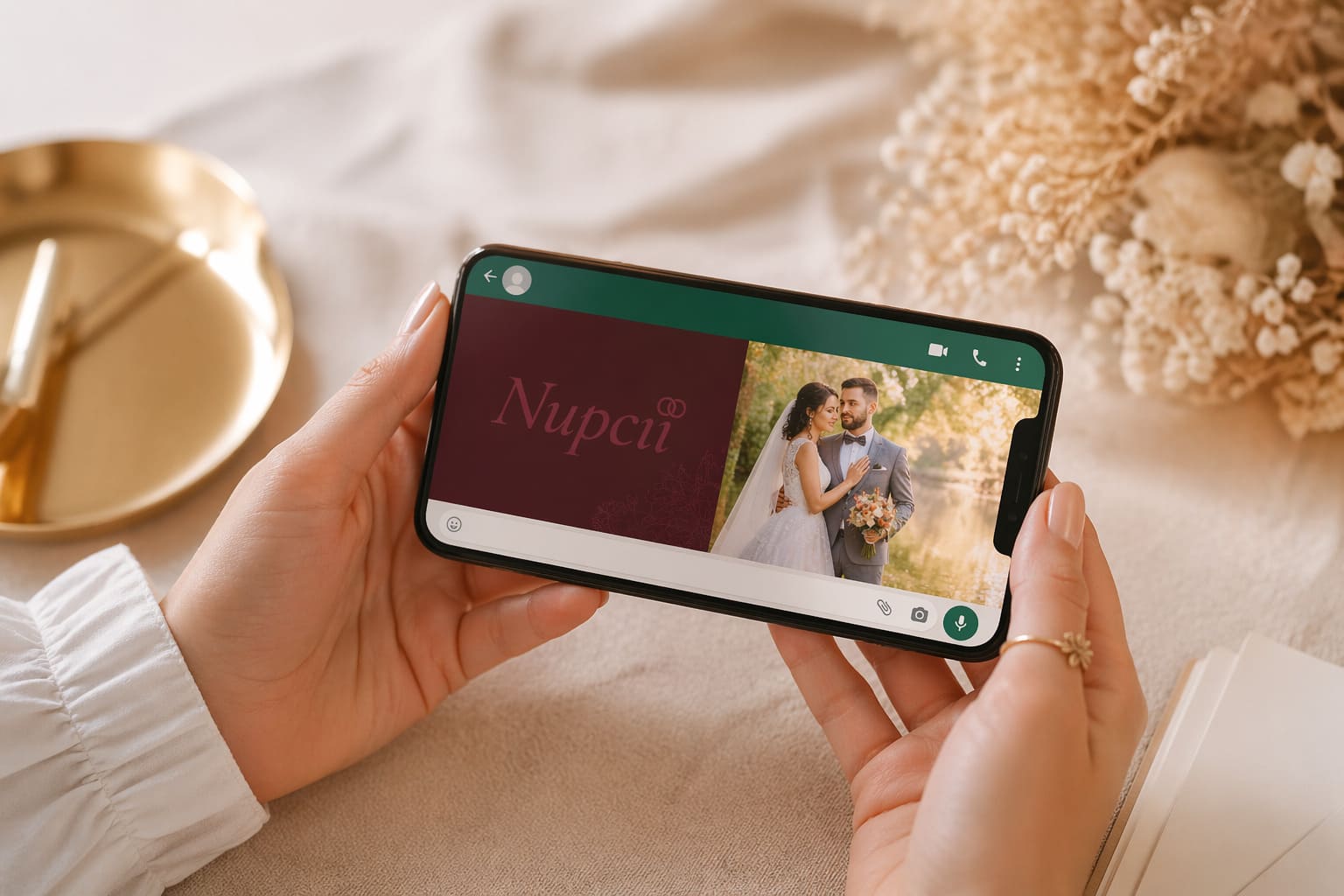
Let's be honest: these days most couples end up sharing their wedding invitation over WhatsApp. It's fast, everyone uses it and it arrives instantly. The problem isn't the channel — the problem is how it's done.
An image dropped into a group chat, a generic copy-and-paste message, or worse, a PDF nobody opens. That's not the experience your wedding deserves.
In this guide we explain how to send your wedding invitation on WhatsApp the right way — elegant, organized and with a personalized link for every guest. (And if you'd rather cut to the chase, here's how Nupcii's WhatsApp wedding invitations work.)
❌ How most people get it wrong
These are the most common mistakes we see when couples try to manage their invitations over WhatsApp:
- The WhatsApp group — everyone sees everyone else's numbers, messages get lost among the memes and no one really knows who confirmed
- The generic image — a card with the wedding details sent to everyone the same way, with no personalization
- The attached PDF — heavy, hard to open on a phone and with no way to confirm attendance
- The copy-and-paste message — no guest name, no spots, none of the exact details each person needs
The result is always the same: chaos with the confirmations, confused guests and you answering the same questions over and over.
✅ The right way to do it
The key is to separate two things: the invitation and the delivery channel.
WhatsApp is simply the channel — the messenger. The invitation should live somewhere else: an elegant web page, personalized for each guest, with all the information they need and a button to confirm attendance.
Here's how it works:
- You create your digital invitation once, with all the details of your wedding
- The system generates a unique link for each guest with their name, their spots and their personalized information
- You send that link over WhatsApp — each person receives their own
- The guest opens the link, sees their personalized invitation and confirms attendance with one click
- You see in real time who confirmed, who declined and who hasn't replied yet
No groups. No confusion. No answering the same questions twenty times.
📲 How to do it with Nupcii — step by step
Nupcii is designed for exactly this. In less than 30 minutes you can have your digital wedding invitation ready to share over WhatsApp with all your guests.
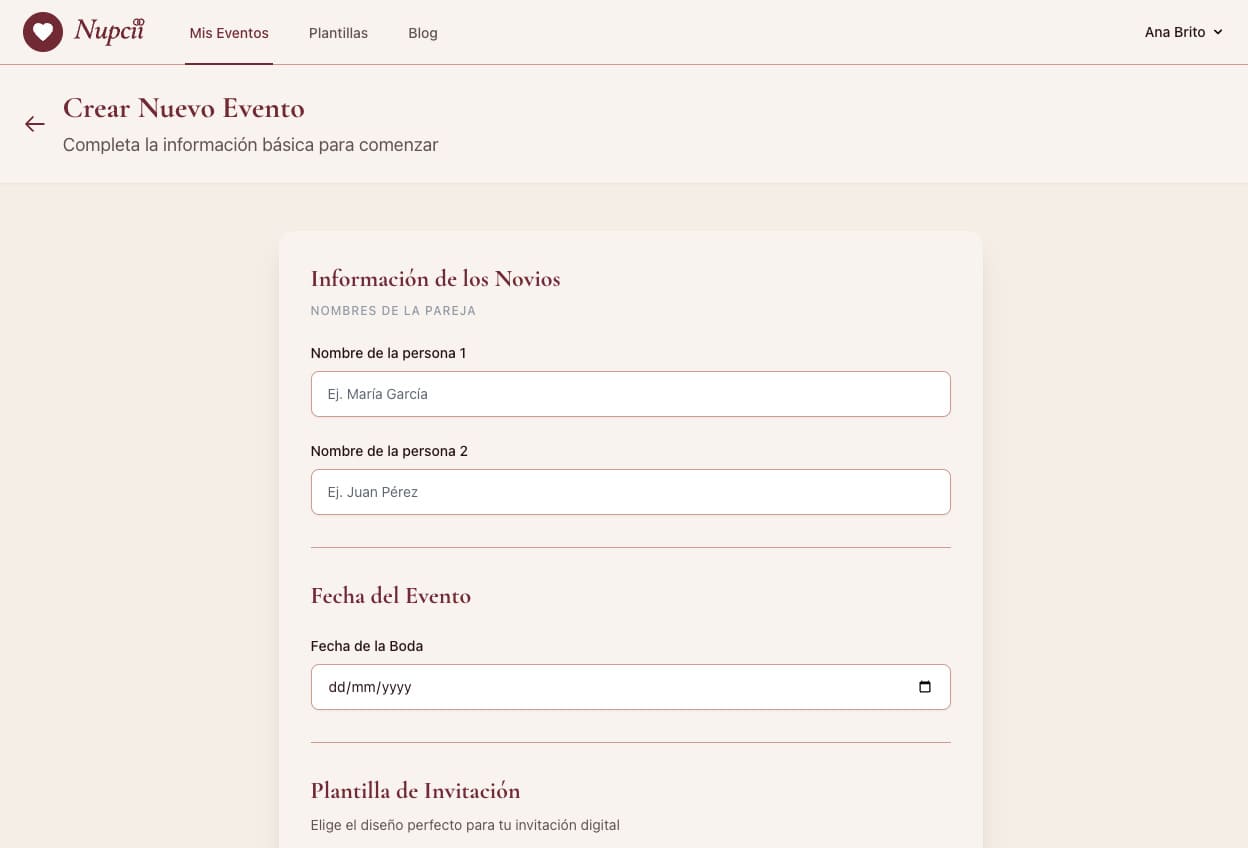
Step 1 — Create your account and your event
Go to nupcii.com, sign up for free and create your event. Enter the couple's names, the wedding date and that's it — your invitation has its own web address.
📸 
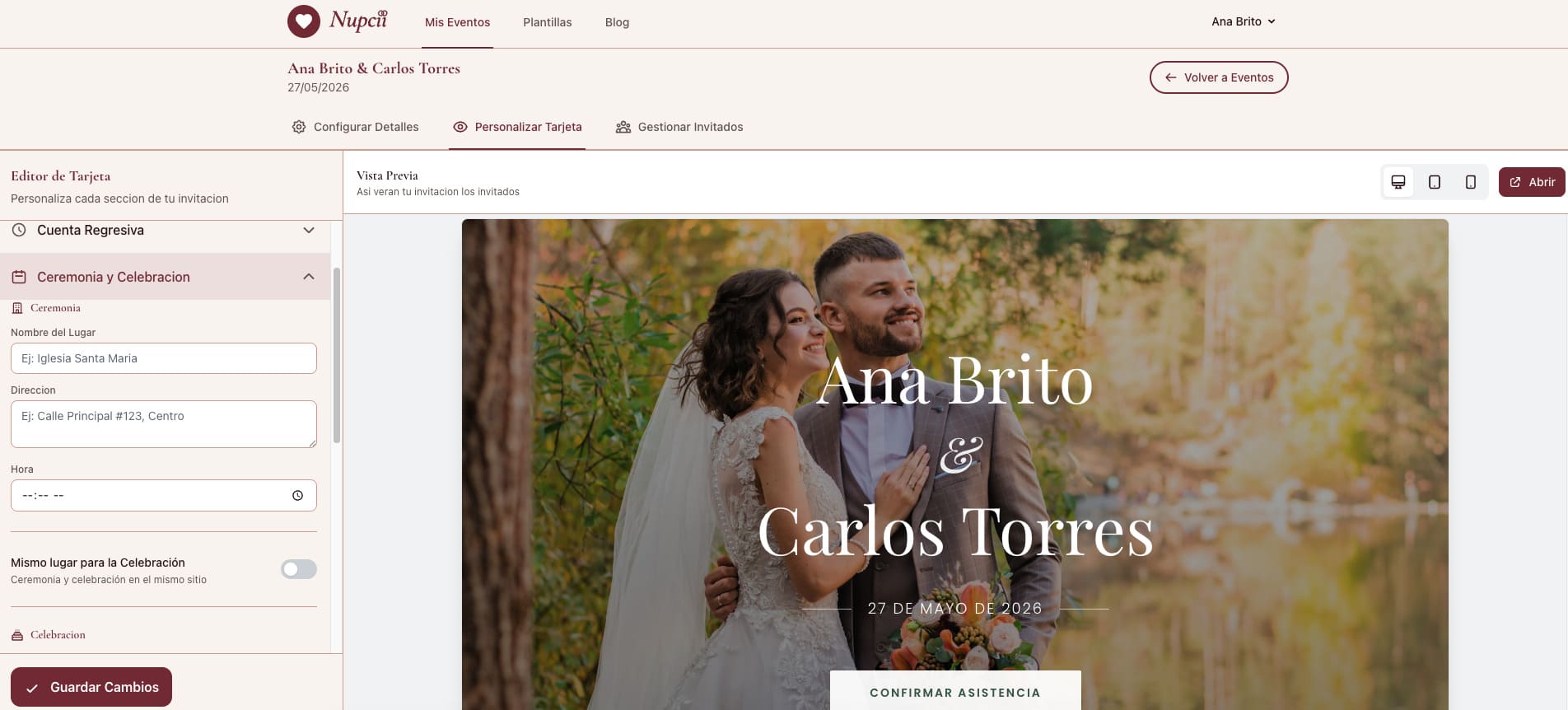
Step 2 — Personalize your invitation
Choose a template, upload your cover photo, add the ceremony and celebration details, the dress code, background music and everything else you want to include.
📸 
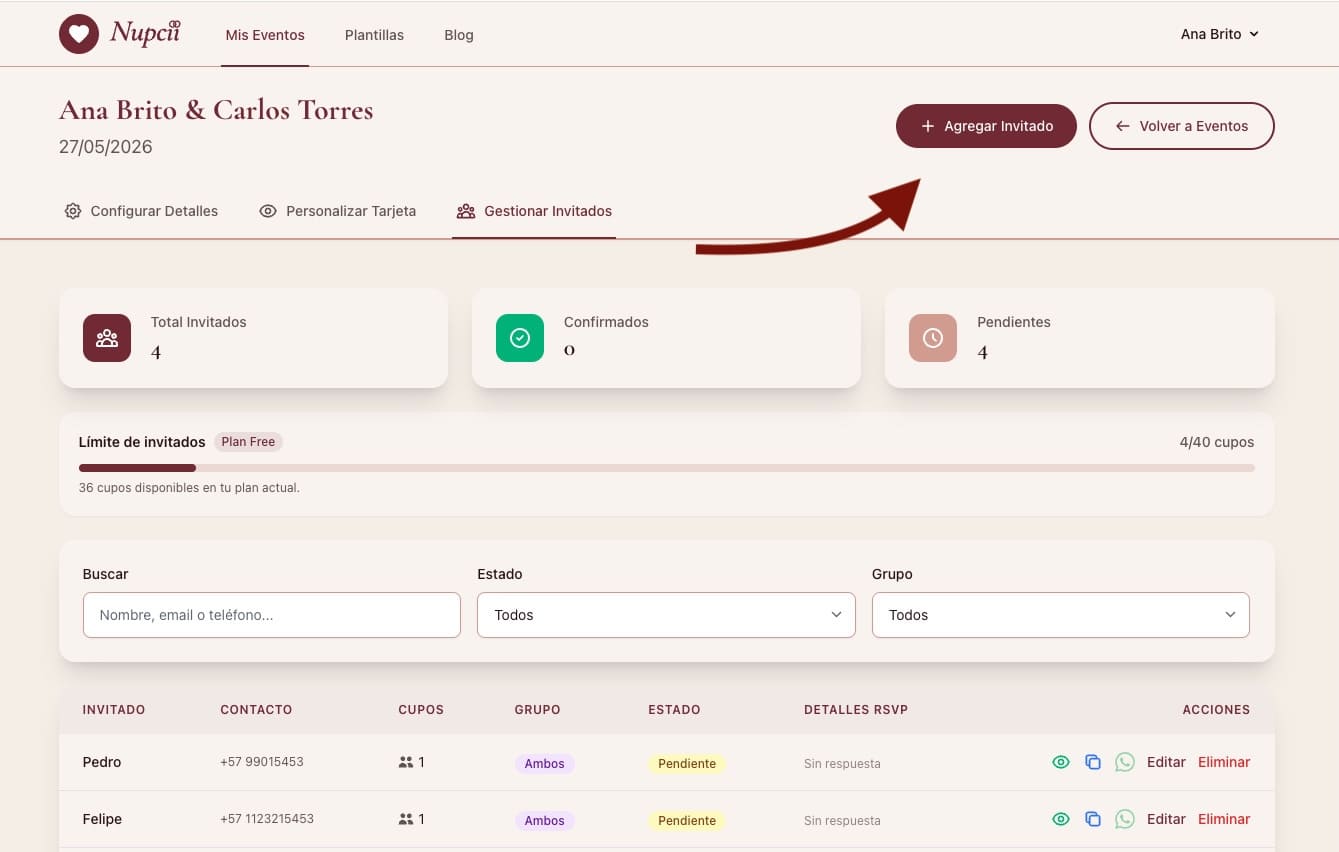
Step 3 — Add your guest list
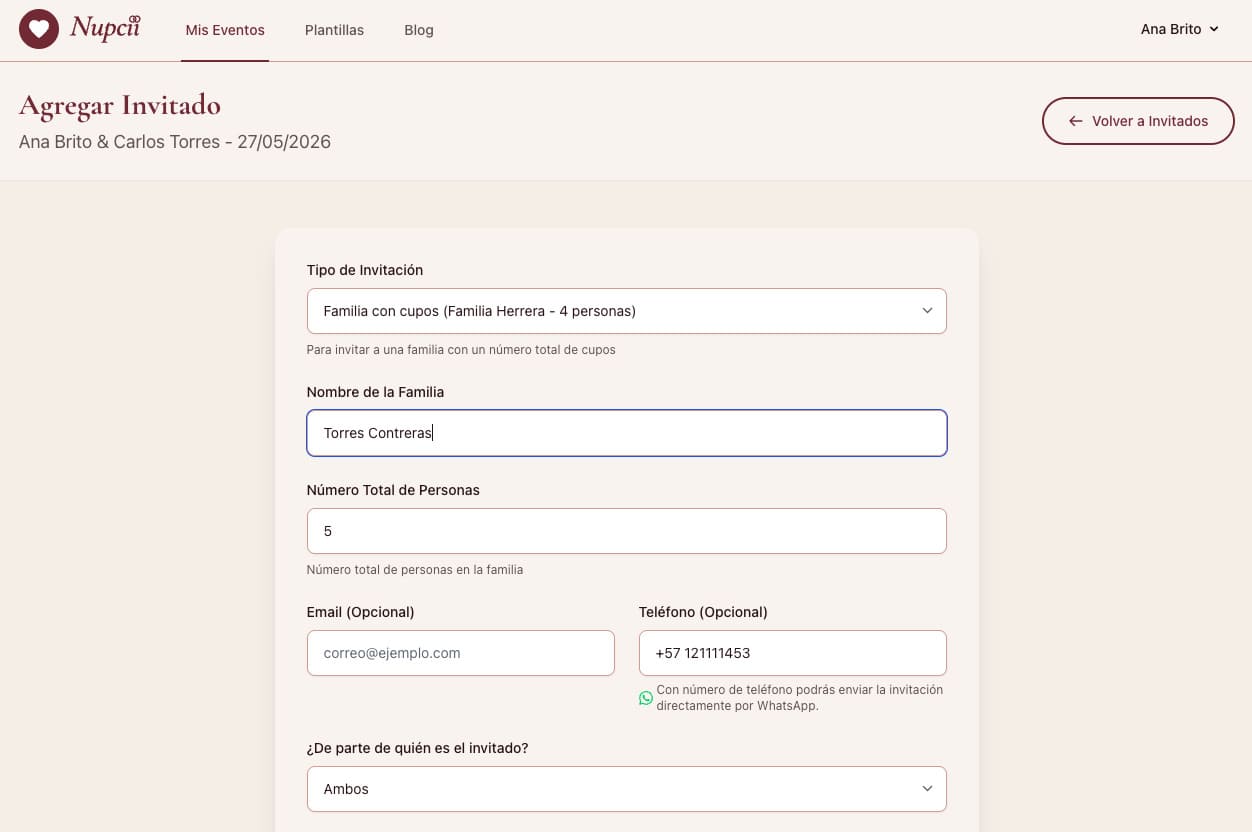
Go to the guests section and add each person, couple or family. You can set how many spots each one has.
📸 
📸 
Step 4 — Copy each guest's link
Nupcii automatically generates a unique link for each guest. From your dashboard you can copy it with one click or use the WhatsApp button, which already has the message written with the guest's name included.
💡 Nupcii Tip: The direct WhatsApp send button is available on the Celebración plan. If you're on the free plan, you can copy each guest's link and paste it manually into your WhatsApp chat.
Step 5 — Send it over WhatsApp
Click the WhatsApp button and it opens directly with a message ready to send. Just pick the contact and you're done.
Long guest list? Nupcii has a sending queue that walks you through your guests one after another with your own message already written: this tutorial to send all your invitations on WhatsApp in minutes shows you how it works.
📸 
Step 6 — Track the confirmations
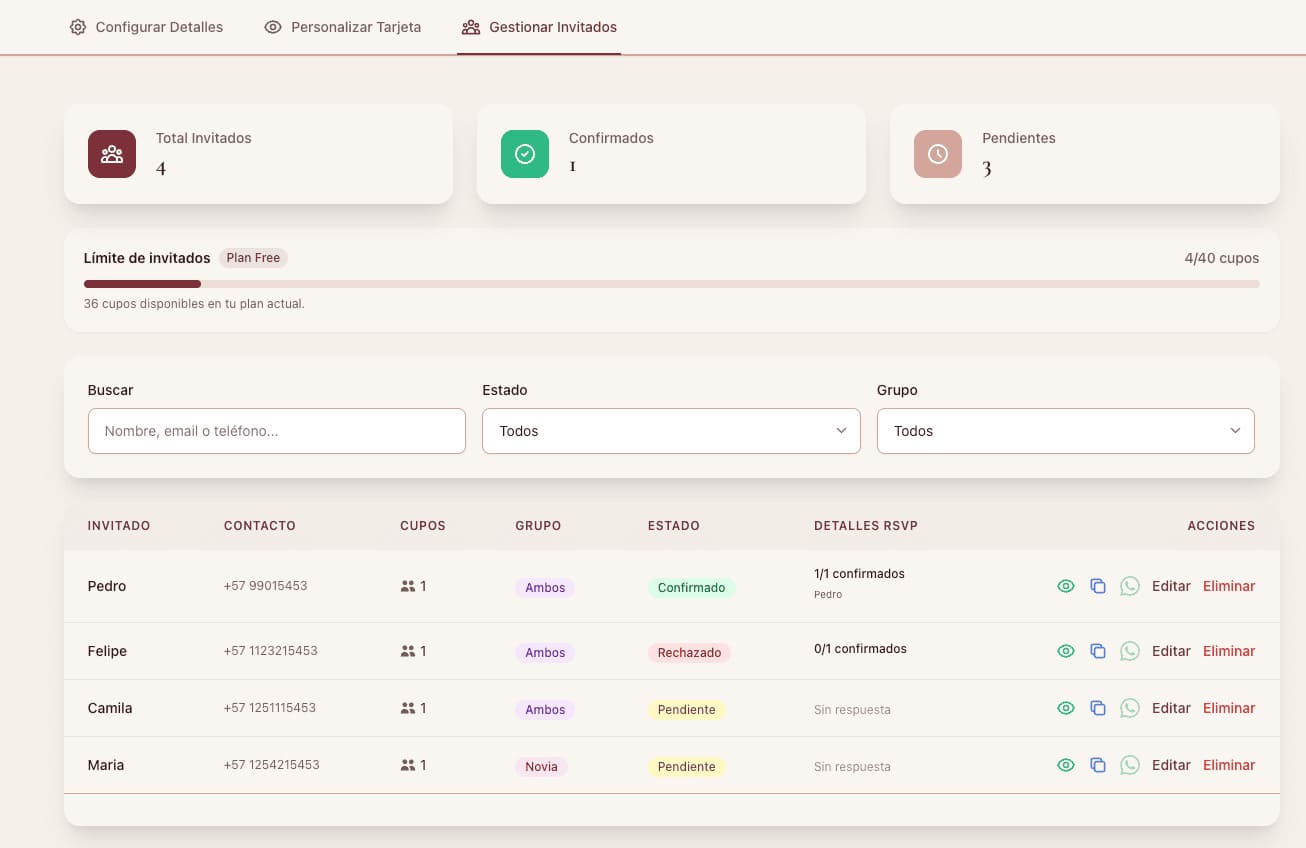
From your dashboard you can see in real time who viewed their invitation, who confirmed attendance and who hasn't replied yet — without having to ask anyone.
📸 
💡 Tips to make it work even better
- Send the links individually, not in a group — each person feels more special receiving their own invitation
- Personalize the WhatsApp message before sending it if you want to add a more personal touch
- Send a reminder through the same channel 2 or 3 weeks before the wedding to anyone who hasn't confirmed
- Don't share another guest's link — each link carries that specific person's spots
✨ Conclusion
WhatsApp is the perfect channel for sharing wedding invitations these days — as long as what you're sending is an invitation worthy of your big day.
A personalized link, an elegant page with all the information and an automatic confirmation system make all the difference between a memorable experience and just one more message in the chat.
With Nupcii you can create a digital wedding invitation in minutes and share it over WhatsApp with each of your guests in a professional, hassle-free way.
✨ Because your wedding deserves more than an image in a WhatsApp group.
Ready to create your invitation?
Start free today. No credit card required.
Create my invitation for free